


RESOURCES / BLOG / CONTENT
Writing Instagram Captions: First Line, Structure, and CTA
Contents
What a caption is for
The caption carries the part of the post the image doesn't say: context, detail, sources and the next step. It is also the text that makes the post findable. Instagram's search explainer says search matches what you type against usernames, bios, captions, hashtags and places, and that for a post to be found in Search, keywords and hashtags belong in the caption, not the comments. The creator reach tips say the same thing: include relevant keywords in the caption.
There is also a hard limit: according to Meta's developer documentation, a caption can hold up to 2,200 characters, 30 hashtags and 20 mentions. That is a ceiling, not a target. For most posts, the right length is however long the thing you have to say is.
The first line: the one sentence that shows before the cut-off
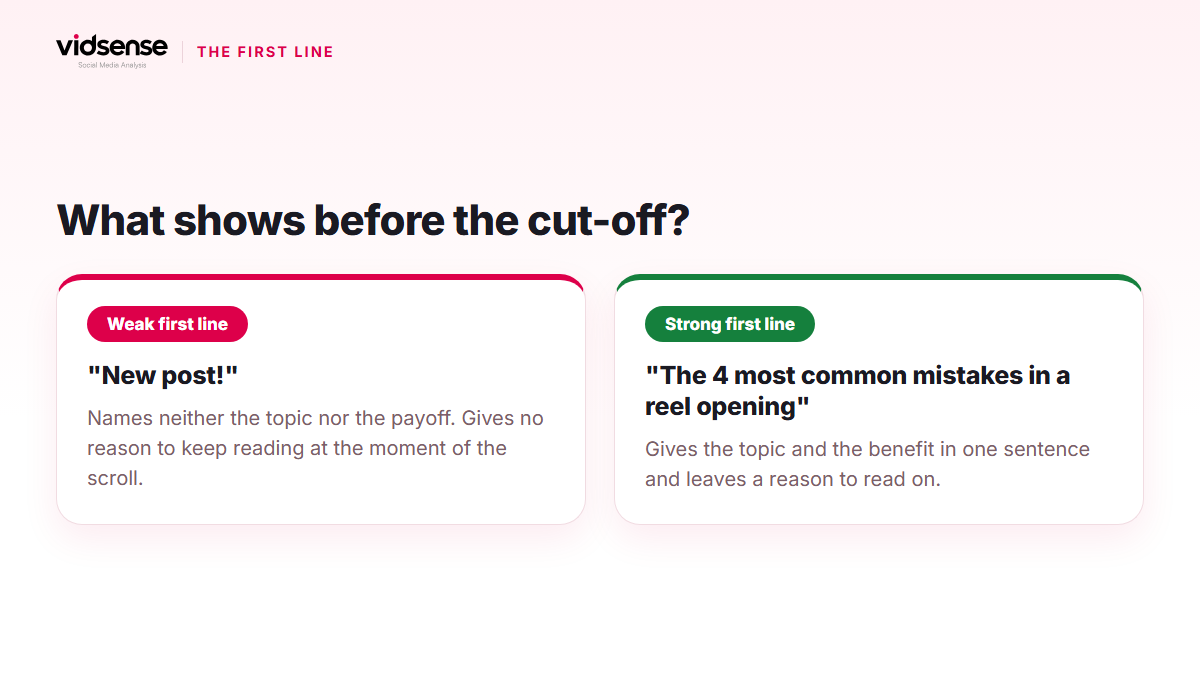
In the feed only the start of the caption is visible; the rest opens with "more." That makes the first line the most valuable part of the caption, and the part most accounts spend on "New post!" or a row of emoji.
A good first line does two things in one sentence: it names the topic and leaves a reason to keep reading. Patterns that work:
- Benefit: "The four most common mistakes in a reel opening, and the fixes."
- Curiosity: "I waited three days for this photo; the reason is below."
- Claim: "Posting time matters less than you think."
- Addressing a person: "A first-week plan for anyone who just opened an account."
What to avoid: repeating what the image already says, opening with a hashtag, and asking a question in the first line that the caption never answers.
The body: short paragraphs, one idea each
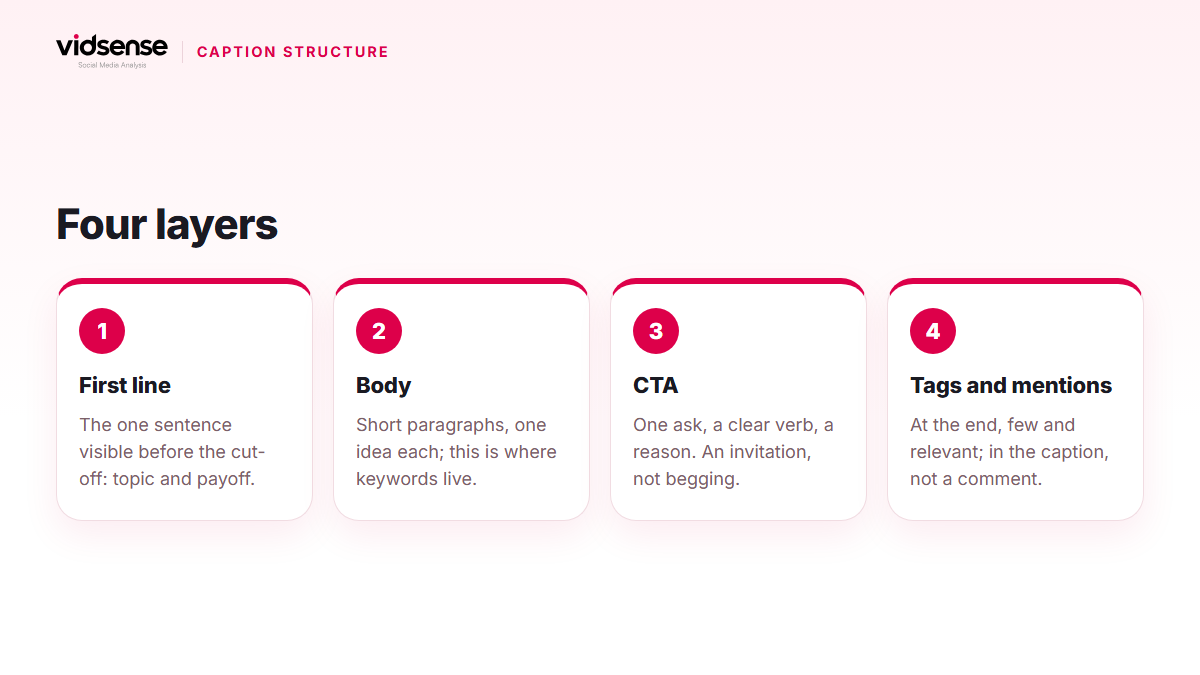
The body complements the image; it doesn't repeat it. A few principles:
- Keep paragraphs to two or three sentences and separate them with a blank line. A wall of text doesn't get read on a phone.
- One idea per paragraph. When the idea ends, the paragraph ends.
- Let keywords appear inside natural sentences. Instagram's recommendation guidelines count long captions unrelated to the underlying content as low-quality; a keyword dump comes close to that definition.
- If you need a list, write a list; if it runs past three items, consider moving it to a carousel.
- If you credit a source or a person, place the mention inside the sentence; mentions piled up at the end look aimless.
A long caption isn't bad; a long caption without a purpose is. If you're telling a story, length helps. If you're listing product features, five lines are enough.
The CTA: one ask, a clear verb
The call to action belongs at the end, and there should be one. A chain of "save, share, comment, follow" means none of them gets a response, and it edges toward the engagement bait pattern. Instead, make one request and give the reason:
- A reason to save: "Save this to work through the steps later."
- A question for comments: "Which one will you try first, 1 or 2?"
- The profile link: "The full list is in the link in bio."
The rule: a clear verb, a clear target, a clear reason. A call that grows out of the content reads naturally; one detached from it reads like begging.
Hashtags and mentions: at the end, few, relevant
Put hashtags at the end of the caption and limit them to ones that genuinely match the topic; check the current limit in the Help Center, because the number has changed over time. Mentions are only for accounts that are actually involved; tagging unrelated accounts also comes close to the inaccurate tagging the Promotion Guidelines prohibit.
A quick check before you publish
- Does the first line name the topic and the payoff without relying on the image?
- Does the body repeat the image, or complement it?
- Is there a single call to action, with its reason written down?
- Are the keywords in natural sentences or in a pile?
- Are the hashtags and mentions relevant to the topic?
- Any absolute promises, exaggeration or pushy phrasing? Risky phrasing has its own article.
Check it with VidSense
Caption writing is a craft, but the final read-through is the step most often skipped. VidSense scans your caption before you publish, flags risky phrasing such as absolute promises and pushy calls to action, and suggests safer alternatives. Create a free account and scan your caption in the text check; on the free plan the text check has a daily limit.
Source: how search works at about.instagram.com, reach tips at creators.instagram.com, caption limits at developers.facebook.com, recommendation guidelines at help.instagram.com, and the hashtag limit at help.instagram.com.
Contents
Check your content before you post it.
Use Content Check to see potential risk signals before you publish.
Check your content →Keep reading
Content · 5 min read
How to Structure a Carousel Post: First Card, Flow, Last Card
In the feed only the first card of a carousel is visible; everything else depends on a swipe. This guide covers the promise on the first card, the flow of the middle cards, the close on the last card, and how the caption fits in, based on Instagram's official rules.
October 11, 2026
Content · 4 min read
Original Content and Reposts: Watermarks and Recommendation
Watermarked or as-is reposted content can be shown less in recommended surfaces. This guide covers originality signals and how to repost responsibly.
October 7, 2026
Content · 4 min read
Reels' First 3 Seconds: How to Write a Strong Hook
Viewers decide whether to keep watching a Reel within seconds. This guide walks through proven hook patterns and the opening mistakes to avoid.
October 1, 2026