


RESOURCES / BLOG / POLICY
Music and Copyright in Reels: Which Audio Is Safe to Use?
Contents
Where the problem starts
Music in Reels comes down to two separate questions: do you have the right to use that track, and does Instagram offer it on your account and in your region? If either is missing, the outcome is usually the same: the video stays up but its sound goes silent, and in some cases the content can be blocked or removed.
Meta's Music Guidelines spell it out: content containing music owned by someone else may be reviewed by the rights owner and blocked, muted or removed if the use is not authorised. The same guidelines require a visual component at all times, with recorded audio never being the main purpose of the content; live videos are covered too.
Three audio sources, three different situations
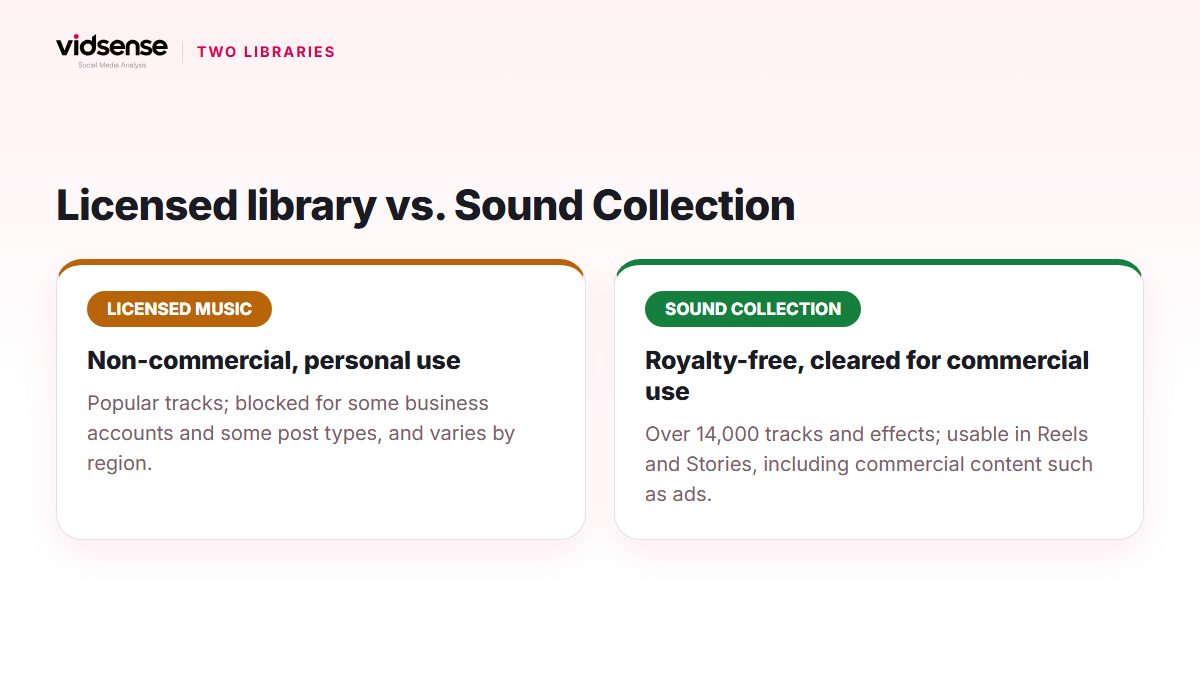
Instagram defines the audio you can use in a Reel in two groups. Original audio is unique audio you created while recording the Reel in the app or in a video you uploaded; another Reels creator's original audio falls in the same group. Licensed audio is the copyrighted content in Instagram's audio library: music, film and TV clips, sound effects. All licensed audio must be attributed to the artist and carry the track name, which the app handles itself.
The third source is the Meta Sound Collection: more than 14,000 royalty-free tracks and sound effects. Meta says content from this collection can be used safely in Reels and Stories, and for commercial purposes such as ads.
Personal, creator and business accounts
Music in the licensed library is for non-commercial personal use, under Meta's agreements with rights holders. To prevent commercial misuse, some business accounts and some types of posts are blocked from the library, and licensed music is not available in some countries and regions. Meta does not explain account by account which restriction applies and why.
In practice this means popular tracks usually show up on personal and creator accounts, while a business account may see a reduced library or only the Sound Collection. The scope of the library in Turkey depends on the same agreements, and Meta does not publish it per country; if you cannot find a track when searching, that is most likely why.
When the sound goes silent later
Instagram notes that when its agreements with rights holders change, the audio you used can be muted; the post itself remains visible. In that case you can tap "Sound not available" on the Reel and choose "Replace audio" to pick a new track from the library. One limit matters: a muted track can be replaced only once.
A silent video carries a second cost. In its ranking explanation, Instagram says it makes muted or bordered Reels less visible, and how likely a viewer is to go to the audio page is among its ranking signals. A muted track is not only a copyright issue but a reach issue as well.
Music added outside the app
When you embed a popular song into the video in an editor and then upload it, two risks stack up. A track added from the in-app library is covered by Meta's licensing agreements; a track embedded in an editor has no such cover, and unless you have permission from the rights holder the use counts as unauthorised. Under Meta's guidelines the content can then be muted, blocked or removed. Same song, two different outcomes.
Staying on the safe side
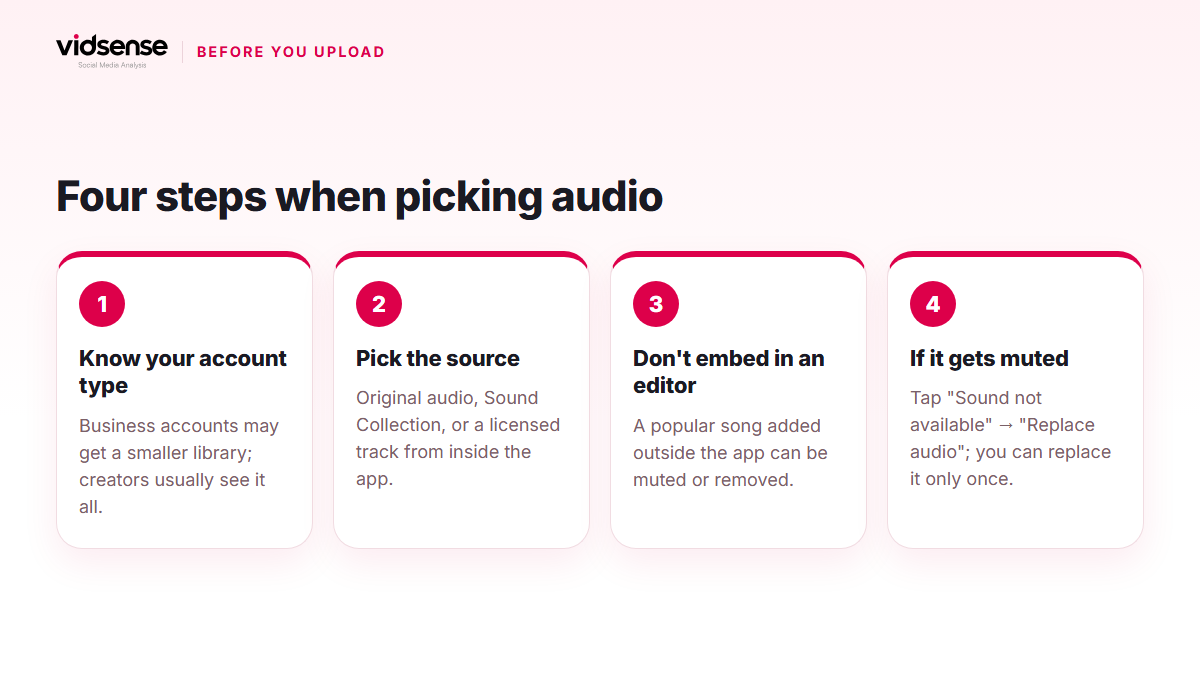
- In your own footage, use your own voice, speech or music you produced; that is original audio.
- To use another creator's original audio, add it through Reels' own use-audio flow; according to Instagram, original audio shared on a public account is opened to others this way and the creator's name appears on the audio.
- For commercial content, product promotion or a business account, go to the Sound Collection.
- Add a popular track only from the in-app library; do not embed it in an editor.
- Before uploading, confirm the track shows up in the library on your account; if it does not, pick an alternative.
- If you get a muting notice, use your single replacement wisely.
Check it with VidSense
VidSense's content check does not verify music licences; use the list above when choosing audio. When you upload the video to Content Check, you see the claims in speech and on-screen text, originality signals such as watermarks and reposts, and possible policy risks in one result. For the copyright and usage rights topic, see the relevant entry in the Policy Center. Policy signals show possible risk; they are not an official Meta decision.
Source: the Instagram Help Center pages on what audio you can use in your reel, access to the licensed music library and replacing muted audio; Meta's Music Guidelines; Instagram's ranking explanation.
Contents
Check your content before you post it.
Use Content Check to see potential risk signals before you publish.
Check your content →Keep reading
Policy · 5 min read
Instagram Giveaways and Contests: Meta's Rules and Türkiye's Law
A giveaway post answers to two rulebooks: Meta's Promotion Guidelines and the Turkish regulation on prize draws. This guide covers what can be verified from official sources on both, where giveaways overlap with engagement bait, and a pre-publish checklist.
October 12, 2026
Policy · 4 min read
What Is Engagement Bait, and Why Does It Hurt?
Engagement bait pushes viewers toward artificial interaction and can hurt recommendation eligibility. This guide covers common patterns and natural alternatives.
October 8, 2026
Policy · 4 min read
The #ad Tag: Turkey's Influencer Advertising Guide
Disclosing paid partnerships with #ad or #partnership is required under platform rules and Turkish consumer regulation. This guide covers how to do it correctly.
October 5, 2026